
Question
Can I embed the Web Widget on my Wix website?
Answer
Yes, you can embed your Web Widget on your Wix website.
To get the embed code for the Web Widget
- In your MorgWard Support dashboard, click the Admin icon (
 ) in the sidebar, then select Channels > Widget.
 - Click the Setup tab, if it is not already selected.
- Under the code box, click Copy to clipboard.
To embed the Web Widget on Wix
- Log in to your Wix account.
- Access the Wix Editor for the site in which you're installing your Widget.
- Click Settings at the top editor menu bar and select Tracking & Analytics.
- Click + New Tool and select Custom.
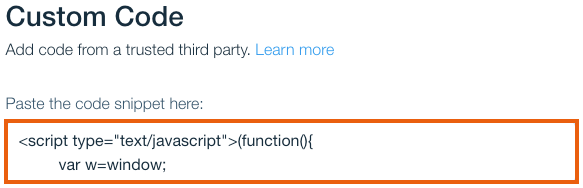
- Paste the code where indicated:
- Enter a name for your custom code in the Name field.
- Click Apply.
Note: Leave All pages - Load code once and Place Code in: Head selected.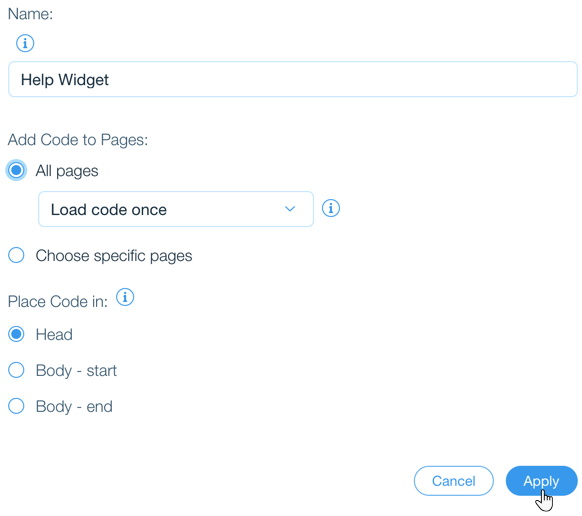
- Refresh your live website to view your Widget.
For more information about the Web Widget component, see the article: Configuring components in the Web Widget.
Comments
0 comments
Please sign in to leave a comment.