


Fastpath: Admin Center > Objects and rules > Business rules > Triggers
Triggers are business rules you define that run immediately after a ticket is created or updated and automatically perform actions if specified conditions are met.
You can view a list of your triggers from the Triggers page, where you can manage your existing triggers or create new triggers.
Admins and agents with permission to manage business rules can access the Triggers page.
To access the Triggers page
-
In Admin Center, click the Objects and rules
icon (
 ) in the sidebar, then select Business rules > Triggers.
Triggers are divided into two tabs according to their status, active or inactive.
The triggers list displays the name and description for each trigger, along with usage information on Professional and Enterprise plans.
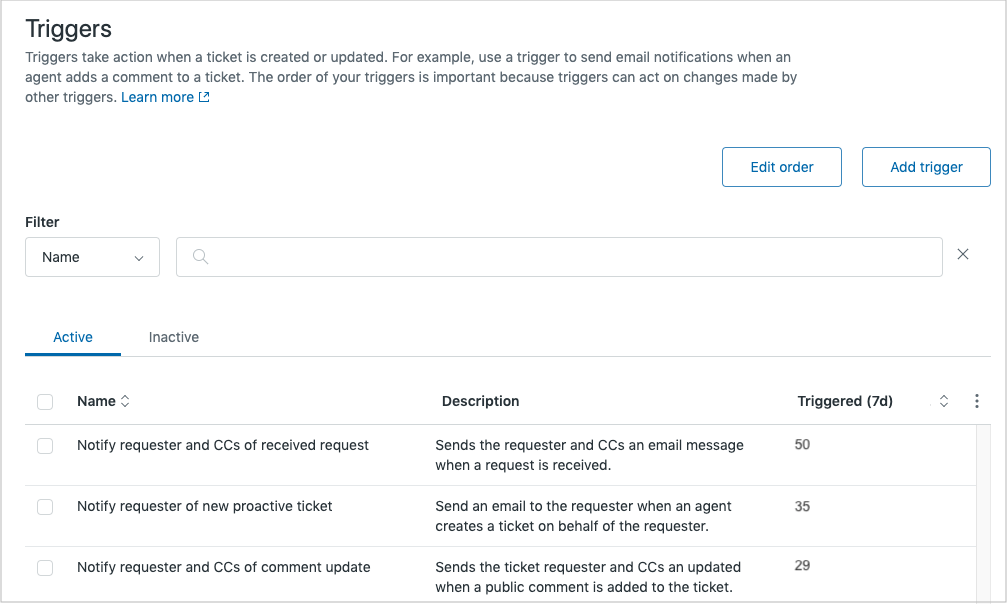
- On the Triggers page, you can take any of the following actions:
- You can take the following actions to manage your individual triggers:
Note: Because of infinite scrolling and expanded search criteria, the triggers list does not
support legacy trigger bookmarks with URLs that include search criteria and page number
indicators. These bookmarks are no longer
valid.
Tip: If you want to learn more about setting up business rules to meet specific
business needs, check out the MorgWard Support for Admins, II training
course.
Comments
0 comments
Please sign in to leave a comment.