


Trigger categories allow you to visually group triggers and make it easier for you to organize and manage your triggers. If your Support account was created before Jan 20, 2021, you may need to enable trigger categories first before you can use them. This article describes how admins can enable trigger categories.
Related articles:
You must be an admin to enable trigger categories.
To enable trigger categories
-
In Admin Center, click the Objects and rules icon (
 ) in the sidebar, then select Business rules > Triggers..
The triggers list appears.
- Click the Enable button at the top of the page.
If you don't see this button, categories are already enabled for your account.
After a few moments, all your triggers will be organized into a single default category, called Initial category.
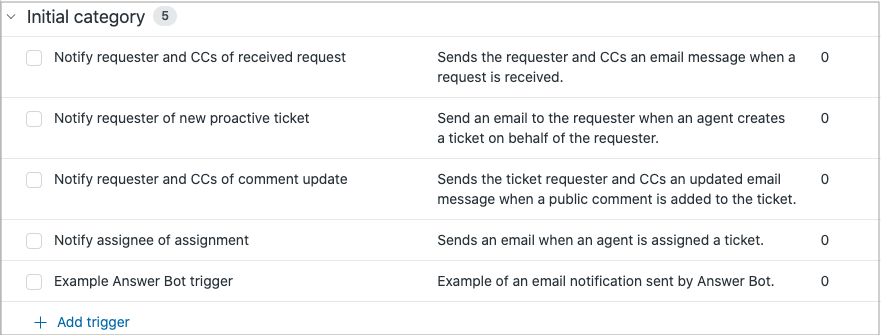
Once trigger categories are enabled on your account. You can rename categories (including the Initial category), create new categories, add triggers to categories, move triggers between categories, and so on. See Creating categories to organize triggers and Managing trigger categories
Once enabled, you cannot disable trigger categories from the Support interface.
Comments
0 comments
Article is closed for comments.